Your Collection
Your collection items will appear here.

Morphology Stickers

Find Morphology custom stickers to use
on Discord, Telegram & Whatsapp

.png 463 David_laid Sticker
.png 409 Drain Sticker
.png 344 Lies Sticker
.png 323 Business Sticker
.png 249 Tripping Sticker
.png 238 Businessdog Sticker
.gif 173 crying_bearish Sticker
.png 163 #SlideForMagoland Sticker
.gif 138 uwu_panda_bearish Sticker
.png 117 Proton_Services Sticker
.png 110 Yanlan Sticker
.gif 101 uwu_brown_bearish Sticker
.png 94 Snip_Snap Sticker
.gif 84 uwu_polar_bearish Sticker
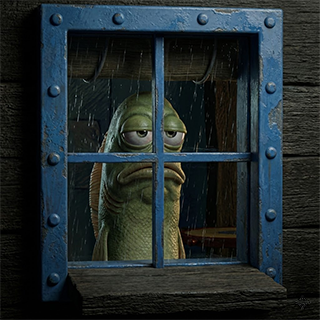
.png 80 DepressedFishHd Sticker
.gif 65 crying_time_to_cry_Tbearish Sticker
.gif 37 cupid_bearish Sticker
.gif 35 uwu_tiger_bearish Sticker
.gif 23 uwu_double_blue_bearish Sticker
.gif 22 uwu_cream_bearish Sticker
.gif 19 uwu_honey_bearish Sticker
.gif 16 crying_time_to_cry_bearish Sticker
.gif 14 uwu_blue_bearish Sticker
.png 14 Torchicenrabiao Sticker

Morphology Discord stickers

Browse Morphology stickers shared by the emoji.gg community. Open a favourite to preview it, check its details and download the image.

Building a set for your server? Save your favourites to a collection as you browse so you can find them again.

Add stickers to your Discord server

  1. Choose your favourites. Open a sticker and download its image.
  2. Open Server Settings. In Discord, select your server and go to the Stickers section.
  3. Upload and name it. Select the downloaded image, give it a name and save it for your community to use.

Get the Android app

Emoji.gg is better on the app. Download it from the Google Play store.

Get Emoji.gg on Google Play