Your Collection
Your collection items will appear here.

Webserver Stickers

Find Webserver custom stickers to use
on Discord, Telegram & Whatsapp

.png 2.0K Mod_Abuse Sticker
.png 1.5K ussticker Sticker
.png 1.2K BanHammer Sticker
.png 1.1K pepedoaks Sticker
.png 993 Bonkie Sticker
.png 981 daysWithoutASlur Sticker
.png 471 sackboy Sticker
.png 393 Hello Sticker
.png 391 Shikanoko_Dance Sticker
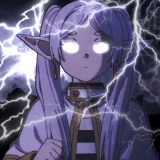
.png 343 Frieren Sticker
.png 241 Gagokaba Sticker
.gif 240 WelcomeNewMember Sticker
.png 229 what Sticker
.png 201 Server_Boosted Sticker
.png 153 FluffyFox Sticker
.png 137 MinionsPapoi Sticker
.png 115 Leave Sticker
.gif 113 jjingusway Sticker
.png 104 Momo_Ayase_Grimace Sticker
.png 98 Texted Sticker
.png 97 dead_server Sticker
.gif 95 idontfeelsogood Sticker
.png 73 Night_Shift Sticker
.png 72 Mod Sticker
.png 68 pls Sticker

Webserver Discord stickers

Browse Webserver stickers shared by the emoji.gg community. Open a favourite to preview it, check its details and download the image.

Building a set for your server? Save your favourites to a collection as you browse so you can find them again.

Add stickers to your Discord server

  1. Choose your favourites. Open a sticker and download its image.
  2. Open Server Settings. In Discord, select your server and go to the Stickers section.
  3. Upload and name it. Select the downloaded image, give it a name and save it for your community to use.

Get the Android app

Emoji.gg is better on the app. Download it from the Google Play store.

Get Emoji.gg on Google Play