Your Collection
Your collection items will appear here.

Url Emojis

Find Url custom emojis to use
on Discord, Twitch & Slack

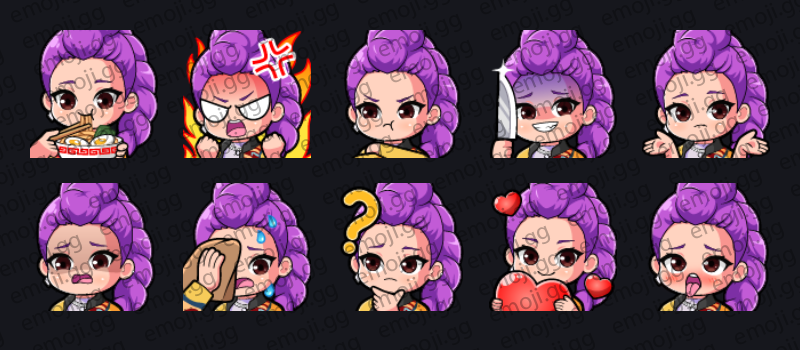
.png 3.8K discordgg_url Emoji
.png 9.5K Yeahmoneygurlx Emoji
.png 566 Angrygurlemojix Emoji
.png 36.7K Slaygurlxz Emoji
.png 1.8K Girlygurlx Emoji
.png 0 Urlop Emoji
.png 0 Burlington_Trailways Emoji
.png 1.7K curly_lips Emoji
.png 6.4K Winter_GurlBye Emoji
.gif 19.9K BuyingYourLove Emoji
.gif 17.4K FourLeafClover Emoji
.png 4.7K pinkfourleafclover Emoji
.png 3.0K OurLittleSecret Emoji
.png 6.7K HelloKittyFries Emoji
.png 9.4K CurlyBLKLove Emoji
.png 7.4K CurlyBLKConfused Emoji
.png 8.4K CurlyBLKHello Emoji
.png 6.6K CurlyBLKLuv Emoji
.png 7.2K CurlyBLKDrink Emoji
.png 8.1K CurlyBLKLurk Emoji
.png 7.8K CurlyBLKCry Emoji
.png 7.0K CurlyBLKAmaze Emoji
.png 17.5K serenade Emoji
.png 10.1K bnhakirishimapatpat Emoji

Url Discord emojis

Browse Url emojis shared by the emoji.gg community. Open a favourite to preview it, check its details and download the image.

Building a set for your server? Save your favourites to a collection as you browse so you can find them again.

Explore Url stickers

Add emojis to your Discord server

  1. Choose your favourites. Open a emoji and download its image.
  2. Open Server Settings. In Discord, select your server and go to the Emoji section.
  3. Upload and name it. Select the downloaded image, give it a name and save it for your community to use.

Get the Android app

Emoji.gg is better on the app. Download it from the Google Play store.

Get Emoji.gg on Google Play