Your Collection
Your collection items will appear here.

Unveiled Emojis

Find Unveiled custom emojis to use
on Discord, Twitch & Slack

.png 13.2K Bisexual Emoji
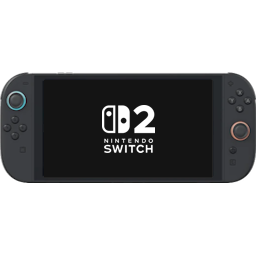
.png 2.2K nintendoswitch2 Emoji
.png 2.2K DailyCheck Emoji
.png 25.1K No_Money Emoji
.png 3.0K canada_flag Emoji
.png 585 queerPluralFlag Emoji
.png 2.0K rock_bouncer Emoji
.gif 9.5K blackcat_huh Emoji
.gif 13.6K blackcat_inlove Emoji
.gif 7.7K blackcat_zzz Emoji
.png 2.5K nintendo_3ds Emoji
.png 4.9K nintendo_ds Emoji
.png 4.1K gameboy_advance Emoji
.png 34.7K nintendo_switch Emoji
.png 2.4K gameboy_advance_sp Emoji
.png 1.8K gameboy_color Emoji
.png 2.8K gameboy Emoji
.png 10.4K Minecraft_Sniffer_Mob_Vote_Art Emoji
.png 16.2K maxwellstand Emoji
.png 10.9K maxwellmortified Emoji
.png 466 sandboxIcon Emoji
.png 95 343_industries_2007 Emoji
.png 15 binder_2000 Emoji
.png 178 photodraw_2000 Emoji
.png 31 frontpage_2000 Emoji

Unveiled Discord emojis

Browse Unveiled emojis shared by the emoji.gg community. Open a favourite to preview it, check its details and download the image.

Building a set for your server? Save your favourites to a collection as you browse so you can find them again.

Explore Unveiled stickers

Add emojis to your Discord server

  1. Choose your favourites. Open a emoji and download its image.
  2. Open Server Settings. In Discord, select your server and go to the Emoji section.
  3. Upload and name it. Select the downloaded image, give it a name and save it for your community to use.

Get the Android app

Emoji.gg is better on the app. Download it from the Google Play store.

Get Emoji.gg on Google Play