Your Collection
Your collection items will appear here.

Redstone Emojis

Find Redstone custom emojis to use
on Discord, Twitch & Slack

.png 5.0K ScribbleHeart Emoji
.png 4.9K Goat_Horn_MC Emoji
.png 4.9K spider Emoji
.png 4.9K RawBeef Emoji
.png 4.9K mc_brick_block Emoji
.png 4.9K xray Emoji
.png 4.9K Minecraft_White_Tulip Emoji
.png 4.9K Minecraft_Rib_Armour_Trim Emoji
.png 4.9K minecraft_red_E Emoji
.png 4.9K minecraft_red_C Emoji
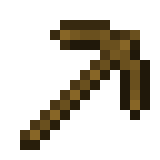
.png 4.8K WoodenPickaxe Emoji
.png 4.8K Minecraft_Wayfinder_Armour_Trim Emoji
.png 4.8K AAAAAAAAA Emoji
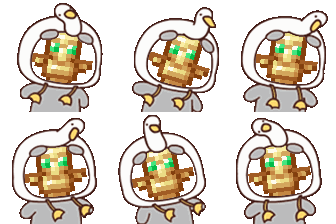
.gif 4.8K totem_waddle Emoji
.png 4.8K Minecraft2Red Emoji
.png 4.8K Minecraft_Shaper_Armour_Trim Emoji
.png 4.8K MinecraftChainCommandBlock Emoji
.png 4.7K Q Emoji
.png 4.7K minecraft_red_L Emoji
.png 4.7K minecraft_gold_less_than Emoji
.gif 4.6K copper_animated Emoji
.png 4.6K Minecraft6Red Emoji
.png 4.6K minecraft_dragonbreath Emoji
.png 4.6K minecraft_blue_9 Emoji
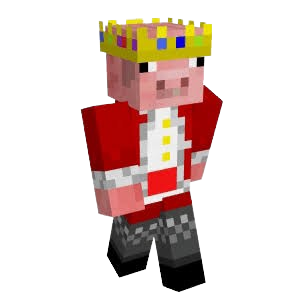
.png 4.6K TechnoBlade Emoji

Redstone Discord emojis

Browse Redstone emojis shared by the emoji.gg community. Open a favourite to preview it, check its details and download the image.

Building a set for your server? Save your favourites to a collection as you browse so you can find them again.

Explore Redstone stickers

Add emojis to your Discord server

  1. Choose your favourites. Open a emoji and download its image.
  2. Open Server Settings. In Discord, select your server and go to the Emoji section.
  3. Upload and name it. Select the downloaded image, give it a name and save it for your community to use.

Get the Android app

Emoji.gg is better on the app. Download it from the Google Play store.

Get Emoji.gg on Google Play