Your Collection
Your collection items will appear here.

Opt Emojis

Find Opt custom emojis to use
on Discord, Twitch & Slack

.png 87 checkmark Emoji
.png 122 checkmark Emoji
.png 150 checkmark Emoji
.png 115 checkmark Emoji
.png 154 checkmark Emoji
.png 73 checkmark Emoji
.png 121 checkmark Emoji
.png 22 checkmark Emoji
.png 92 checkmark Emoji
.png 650 checkmark Emoji
.png 304 checkmark Emoji
.png 80 checkmark Emoji
.png 22 checkmark Emoji
.png 1.4K Stoptalking Emoji
.gif 4.0K animated_search_lm Emoji
.png 143 CopticOrthodox Emoji
.png 91 OpticTexas Emoji
.png 603 RoyalEgg Emoji
.png 2.1K Brave Emoji
.png 1.1K HouseofBravery Emoji
.png 12.3K EarlyVerifiedBotDeveloper Emoji
.png 4.0K batdragon Emoji
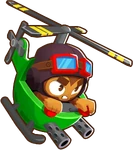
.png 473 BTD6_Heli_Pilot Emoji
.gif 49.1K Nobara_excited Emoji
.gif 23.0K kekcube Emoji

Opt Discord emojis

Browse Opt emojis shared by the emoji.gg community. Open a favourite to preview it, check its details and download the image.

Building a set for your server? Save your favourites to a collection as you browse so you can find them again.

Explore Opt stickers

Add emojis to your Discord server

  1. Choose your favourites. Open a emoji and download its image.
  2. Open Server Settings. In Discord, select your server and go to the Emoji section.
  3. Upload and name it. Select the downloaded image, give it a name and save it for your community to use.

Get the Android app

Emoji.gg is better on the app. Download it from the Google Play store.

Get Emoji.gg on Google Play