Your Collection
Your collection items will appear here.

Import Emojis

Find Import custom emojis to use
on Discord, Twitch & Slack

.gif 29.0K CuteCat Emoji
.gif 48.5K Clap Emoji
.png 17.6K Information Emoji
.png 9.7K crown Emoji
.gif 7.7K brokenheart Emoji
.gif 16.8K flowersWhite Emoji
.gif 12.9K blossoms Emoji
.png 26.6K knife Emoji
.gif 56.5K heartattack Emoji
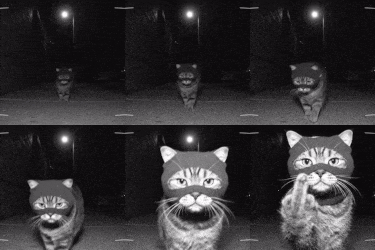
.gif 107.6K fuckCAT Emoji
.png 29.9K Dogwtf Emoji
.png 16.7K Hehedog Emoji
.gif 46.1K Catsweet Emoji
.png 15.1K StareDog Emoji
.gif 10.9K GoldWelcome Emoji
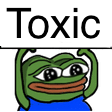
.png 20.5K Toxic Emoji
.gif 10.4K MoneyFace Emoji
.gif 20.0K Rocket Emoji
.png 6.0K SweetAlien Emoji
.gif 6.7K Babyhm Emoji
.png 18.0K dogwtf Emoji
.png 37.1K babyaaah Emoji
.png 10.2K babybroken Emoji
.gif 26.2K babyrun Emoji
.gif 13.0K babyangry Emoji

Import Discord emojis

Browse Import emojis shared by the emoji.gg community. Open a favourite to preview it, check its details and download the image.

Building a set for your server? Save your favourites to a collection as you browse so you can find them again.

Explore Import stickers

Add emojis to your Discord server

  1. Choose your favourites. Open a emoji and download its image.
  2. Open Server Settings. In Discord, select your server and go to the Emoji section.
  3. Upload and name it. Select the downloaded image, give it a name and save it for your community to use.

Get the Android app

Emoji.gg is better on the app. Download it from the Google Play store.

Get Emoji.gg on Google Play