Your Collection
Your collection items will appear here.

Import Emojis

Find Import custom emojis to use
on Discord, Twitch & Slack

.png 26.9K Announcement Emoji
.png 6.9K Noone_Cares Emoji
.png 6.7K Listen Emoji
.png 28.5K VIP Emoji
.png 7 Kalender Emoji
.gif 7.2K Baby2 Emoji
.gif 18.9K Dancee Emoji
.gif 33.8K GirlKiss Emoji
.gif 34.1K fireeee Emoji
.png 32.8K omg Emoji
.png 16.6K Kiss Emoji
.png 21.4K babysad Emoji
.gif 13.0K babyangry Emoji
.gif 26.2K babyrun Emoji
.png 10.2K babybroken Emoji
.png 37.1K babyaaah Emoji
.png 18.0K dogwtf Emoji
.gif 6.7K Babyhm Emoji
.png 6.0K SweetAlien Emoji
.gif 20.0K Rocket Emoji
.gif 10.4K MoneyFace Emoji
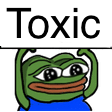
.png 20.5K Toxic Emoji
.gif 10.9K GoldWelcome Emoji
.png 15.1K StareDog Emoji
.gif 46.1K Catsweet Emoji

Import Discord emojis

Browse Import emojis shared by the emoji.gg community. Open a favourite to preview it, check its details and download the image.

Building a set for your server? Save your favourites to a collection as you browse so you can find them again.

Explore Import stickers

Add emojis to your Discord server

  1. Choose your favourites. Open a emoji and download its image.
  2. Open Server Settings. In Discord, select your server and go to the Emoji section.
  3. Upload and name it. Select the downloaded image, give it a name and save it for your community to use.

Get the Android app

Emoji.gg is better on the app. Download it from the Google Play store.

Get Emoji.gg on Google Play