Your Collection
Your collection items will appear here.

Be Emojis

Find Be custom emojis to use
on Discord, Twitch & Slack

.png 0 2ndStarDragonBall Emoji
.png 0 3stardragonball Emoji
.png 0 4stardragonball Emoji
.png 0 7StarDragonBall Emoji
.png 18 MintSmileyFace Emoji
.png 191 LavenderPerson Emoji
.png 180 PastelStar Emoji
.png 337 YouTubeLogo Emoji
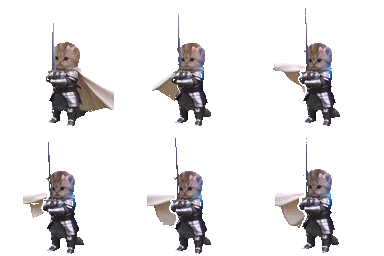
.gif 244 Knight_Cat Emoji
.gif 98 Masha_With_Gun Emoji
.gif 42 Elizabeth_Holmes Emoji
.gif 0 GTFOMYEXPOCHEFNOW Emoji
.png 363 fev_Crown Emoji
.png 205 fev_Ban Emoji
.png 156 fev_Calendar Emoji
.png 157 fev_Shield Emoji
.png 118 fev_Bell Emoji
.png 63 fev_Report Emoji
.png 175 fev_Rules Emoji
.png 70 fev_Unlock Emoji
.png 45 fev_Warning Emoji
.png 18 youtube Emoji
.png 138 YouTubeCheck Emoji
.png 0 SmugMamdani Emoji
.gif 145 SillyPanda Emoji

Be Discord emojis

Browse Be emojis shared by the emoji.gg community. Open a favourite to preview it, check its details and download the image.

Building a set for your server? Save your favourites to a collection as you browse so you can find them again.

Explore Be stickers

Add emojis to your Discord server

  1. Choose your favourites. Open a emoji and download its image.
  2. Open Server Settings. In Discord, select your server and go to the Emoji section.
  3. Upload and name it. Select the downloaded image, give it a name and save it for your community to use.

Get the Android app

Emoji.gg is better on the app. Download it from the Google Play store.

Get Emoji.gg on Google Play