Comments
Share & Embed
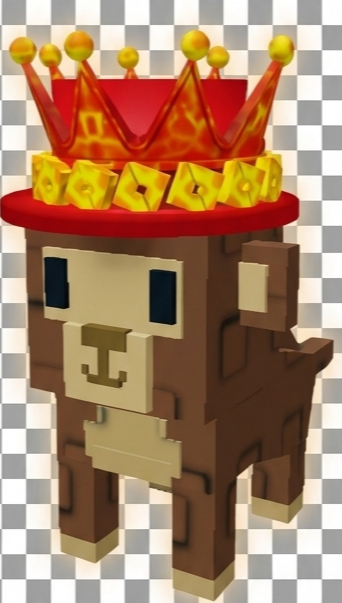
To upload the Monkeythinking emoji to your Discord server follow these simple steps.Navigate to your server settings
and proceed to click the "emoji" tab, you will notice a blue button that says "upload emoji". Click this button and select the Monkeythinking emoji that you just
downloaded from this website. The Monkeythinking emoji should now be available for use in your server!
To upload the Monkeythinking emoji to your Slack workspace follow these simple steps.Click the arrow beside your workspace
name and select "customize slack". Click "add custom emoji" and select the Monkeythinking emoji that you just
downloaded from this website. Choose a name and click saveThe Monkeythinking emoji should now be available for use in your slack workspace!
To upload the Monkeythinking emoji to your Guilded server follow these simple steps.Navigate to your server settings and proceed to click the "emotes" tab, you will notice a yellow button that says
"upload emote". Click this button and select the Monkeythinking emoji that you just downloaded from this website. The Monkeythinking
emoji should now be available for use in your Guilded server!
To upload the Monkeythinking emote to your Twitch channel you need to be an affiliate or partner.Navigate to your creator dashboard and navigate to the settings menu in the left sidebar, click on "affiliate" or "partner" and scroll down to the emotes section. Click an empty emote slot and select the Monkeythinking emote that you just downloaded from this website. Fill in all of the require information such as emote name and click submit, then wait for Twitch to review your new emotes!
To add the Monkeythinking emoji to Microsoft Teams, follow these steps.
Open a chat or channel and click the Emoji, GIFs and Stickers icon next to the message box, then choose Emoji.
In the bottom right of the emoji panel, select Your orgs emoji (the smiley with a dotted outline), then click the + button to upload. Choose the Monkeythinking image you downloaded and give it a name.
Once saved, your custom emoji will appear in the Custom section. You can insert it in messages or use it as a reaction by selecting More reactions and searching for it.
Note: Custom emojis must be enabled by your organisation's Teams settings.
To add the Monkeythinking emoji to WeChat as a custom sticker follow these steps.
On mobile (iOS/Android):
1) Download the Monkeythinking image (PNG or GIF) to your phone.
2) Open any chat in WeChat and tap the Sticker icon then tap the + (or Custom) tab.
3) Choose Add from Photos (or Upload) and select the downloaded image.
4) Your new sticker will appear in My Stickers.
On desktop (Windows/macOS):
1) Download the Monkeythinking image to your computer.
2) In WeChat open a chat and click the Sticker icon then click the gear/settings for stickers.
3) Choose Add Custom Stickers and upload the image.
4) The sticker will be available under My Stickers.

Joined May 2025
- Category: Animals
- Downloads: 15157
- Filetype: image/png
- File Size: 170.394 KB
- Dimensions: 386x384
- Source:
- Added: September 2026
- Emoji ID: 801254-monkeythinking
Basic License
This license grants you permission to use this emoji on Discord, Slack and any other platform where the user is not charged for access to the emoji.
All content is uploaded by users, if this breaks our TOS you can report it here
More Monkey Emojis
.png
0


.gif
360

.gif
641

.png
15.2K

.gif
5

.png
22

.png
467

.gif
2.7K

.png
67
.gif
5.1K